> For the complete documentation index, see [llms.txt](https://docs.thub.tech/llms.txt). Markdown versions of documentation pages are available by appending `.md` to page URLs; this page is available as [Markdown](https://docs.thub.tech/langchain/record-managers.md).
# 📊Record Managers
Record Managers keep track of your indexed documents, preventing duplicated vector embeddings in Vector Store.
When document chunks are upserting, each chunk will be hashed using [SHA-1](https://github.com/emn178/js-sha1) algorithm. These hashes will get stored in Record Manager. If there is an existing hash, the embedding and upserting process will be skipped.
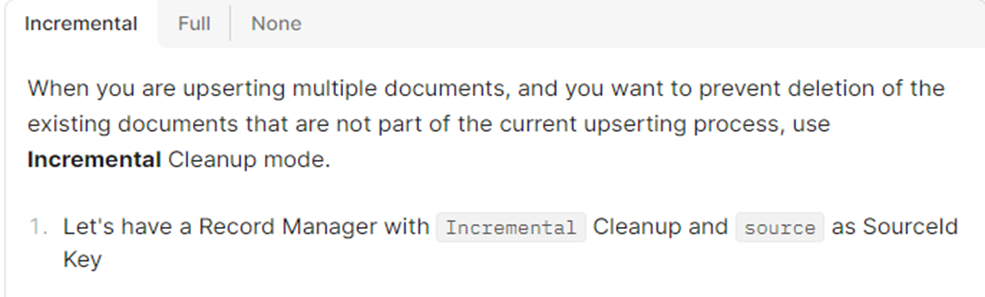
In some cases, you might want to delete existing documents that are derived from the same sources as the new documents being indexed. For that, there are 3 cleanup modes for Record Manager:
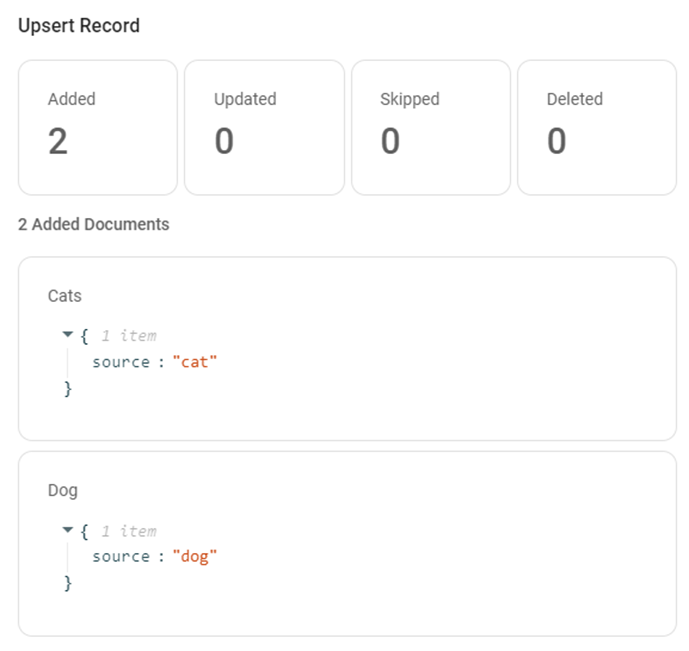
2. And have the following 2 documents:
3. After an upsert, we will see 2 documents that are upserted:
4.Now, if we delete the **Dog** document, and update **Cat** to **Cats**, we will now see the following:

· The original **Cat** document is deleted
· A new document with **Cats** is added
· **Dog** document is left untouched
· The remaining vector embeddings in Vector Store are **Cats** and **Dog**
Current available Record Managers are:
· SQLite Record manager
· MySQL Record manager
· PostgresQL Record manager
#### 1)SQLite Record manager
The SQLite Record Manager stores records locally using SQLite database.
#### Key Features:
• Local Storage: Stores data on local system\
• Lightweight: No server required\
• Easy Setup: Minimal configuration needed\
• Fast Access: Suitable for small applications
#### Setup Requirements:
1. Add SQLite Record Manager node to the canvas
2. Configure Additional Parameters if required
#### Use Cases:
• Local development\
• Small-scale applications
#### 2)MySQL Record manager
The MySQL Record Manager stores and manages records using a MySQL database.
#### Key Features:
• Database Storage: Stores records in MySQL\
• Persistent Data: Retains data across sessions\
• Structured Storage: Uses relational database format\
• Scalable: Suitable for production applications
#### Setup Requirements:
1. Set up a MySQL database
2. Add MySQL Record Manager node to the canvas
3. Connect Credential > provide MySQL credentials
4. Enter Host, Database, and Port (default: 3306)
5. Configure Additional Parameters if required
#### Use Cases:
• Storing application data\
• Managing structured records in workflows
#### 3)PostgresQL Record manage
The Postgres Record Manager stores and manages records using a PostgreSQL database.
#### Key Features:
• Reliable Storage: Uses PostgreSQL database\
• Persistent Records: Maintains data across sessions\
• High Performance: Efficient for large datasets\
• Flexible Queries: Supports advanced querying
#### Setup Requirements:
1. Set up a PostgreSQL database
2. Add Postgres Record Manager node to the canvas
3. Connect Credential > provide PostgreSQL credentials
4. Enter Host, Database, and Port (default: 5432)
5. Configure Additional Parameters if required
#### Use Cases:
• Backend data storage\
• Large-scale applications